# ExhibitorEventListView
Source: https://swapcard.dev/react-sdk/pages/exhibitor-event-list-view
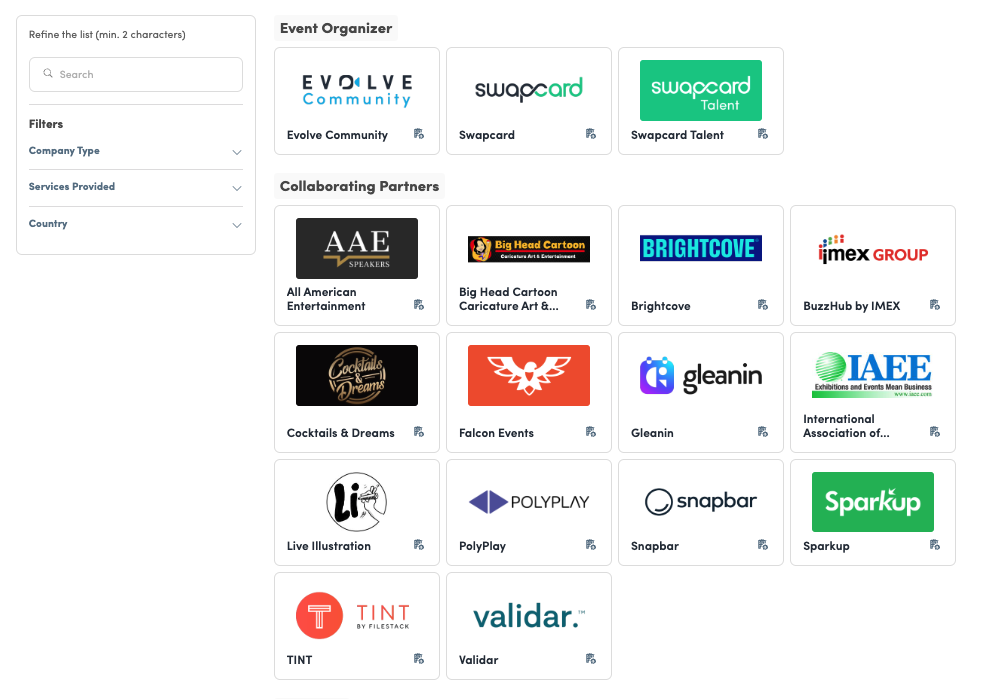
This component allows you to integrate the exhibitor list at the event level.
## How it looks
 ## Code sample
```tsx
return (
);
}
```
## Available props
- **viewId** `string (required)`
ID of the view you want to render
- **renderExhibitorCard** `(node: ReactNode, exhibitor: Exhibitor) => ReactNode`
Render function to wrap each exhibitor cells into your own links.
```tsx
renderExhibitorCard={(node, exhibitor) => {node}}
```
- **search** `string`
Used to filter result based on user search (to combine with **onSearch**)
- **onSearch** `(search: string) => void`
Callback when user searches through the input (to combine with **search**)
- **selectedFilters** `Filter[]`
Used to filter result based on user filters (to combine with **onFilter**)
- **onFilter** `(filters: Filter[]) => void`
Callback when user filters through checkboxes (to combine with **selectedFilters**)
- **stickyOffset** `number`
Search and filter containers will be sticky while the user scrolls (this represents the number in pixel from the top of the body)
- **paginationMode** `INFINITE_SCROLL | BUTTON`
You can select either if you want pagination to be trigger automatically when the user scroll, or to display a button to force the user to interact to load more elements.