ExhibitorEventDetails
This component allows you to integrate the exhibitor details at the event level.
How it looks
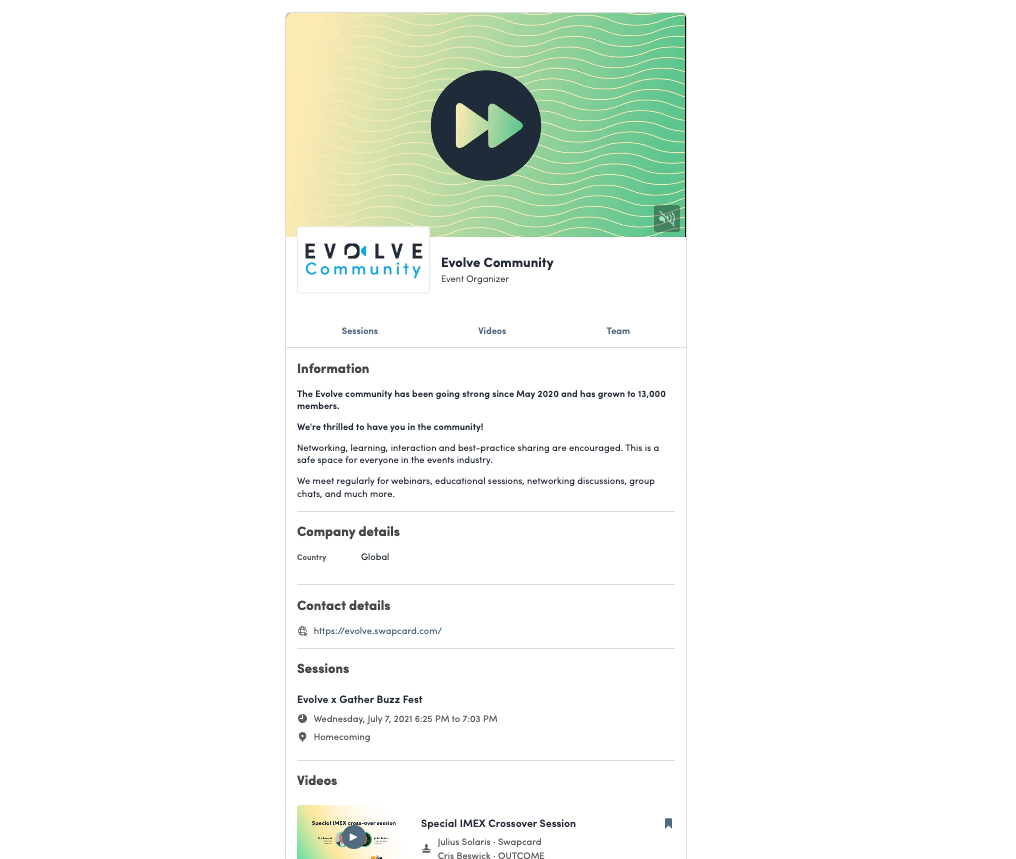
Code sample
import { ExhibitorEventDetails } from "@swapcard/react-sdk/lib/exhibitor/event-details";

export function YourExhibitorDetailsPage() {
  return <ExhibitorEventDetails exhibitorId="<EXHIBITOR_ID>" />;
}
Available props
-
exhibitorId
string (required)ID of the exhibitor you want to render
-
renderExhibitorCard
(node: ReactNode, exhibitor: Exhibitor) => ReactNodeRender function to wrap each linked exhibitor cells into your own links.
renderExhibitorCard={(node, exhibitor) => <a href={`/path/to/exhibitor/${exhibitor.id}`}>{node}</a>} -
renderProductCard
(node: ReactNode, product: Product) => ReactNodeRender function to wrap each product cells into your own links.
renderProductCard={(node, product) => <a href={`/path/to/product/${product.id}`}>{node}</a>} -
renderPlanningCard
(node: ReactNode, planning: Planning) => ReactNodeRender function to wrap each planning cells into your own links.
renderPlanningCard={(node, planning) => <a href={`/path/to/planning/${planning.id}`}>{node}</a>} -
onClickOnBookmarkButton
() => voidCallback when the user click on the bookmark button. You can redirect to another web page, open a custom modal, etc... NB: if you don't pass this callback, the bookmark button will be hidden.
-
stickyOffset
numberContainers on the left and right of the main content will be sticky while the user scrolls (this represents the number in pixel from the top of the body)